gRPC Requests
A gRPC request calls one method of a gRPC service. Chapar needs to know the service’s methods and message types, which it gets either from the server (server reflection) or from your proto files. You write the request message as JSON, and Chapar shows the response as JSON.
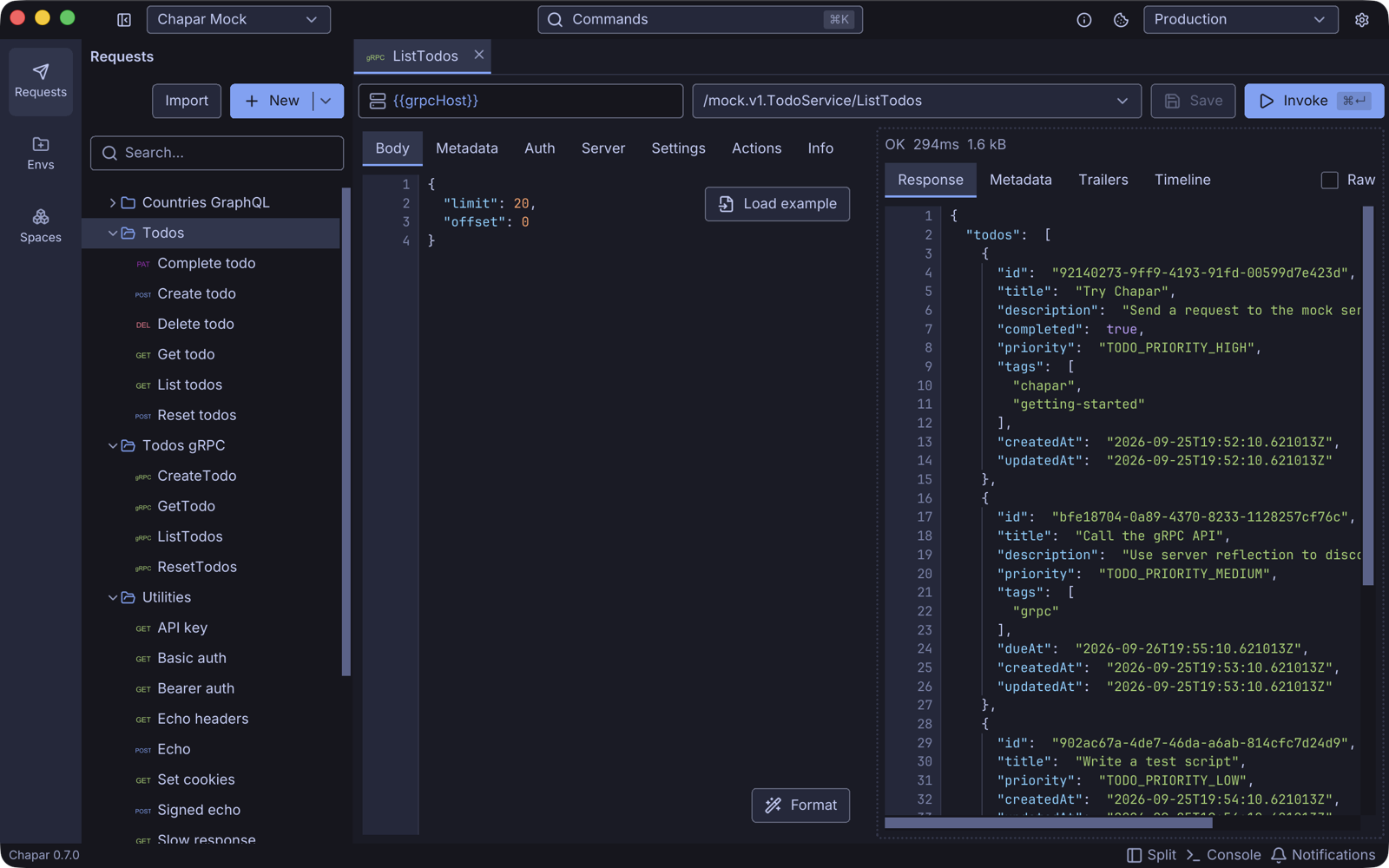
The request bar
| Control | What it does |
|---|---|
| Address | The server as host:port, for example mocks.chapar.rest:443 or localhost:50051. No scheme: TLS is set on the Settings tab. {{variables}} work here. |
| Method | The method to call, as /package.Service/Method. The list fills in once Chapar has loaded the methods. |
| Save | Saves the request (⌘S). |
| Invoke | Calls the method (⌘Enter). |
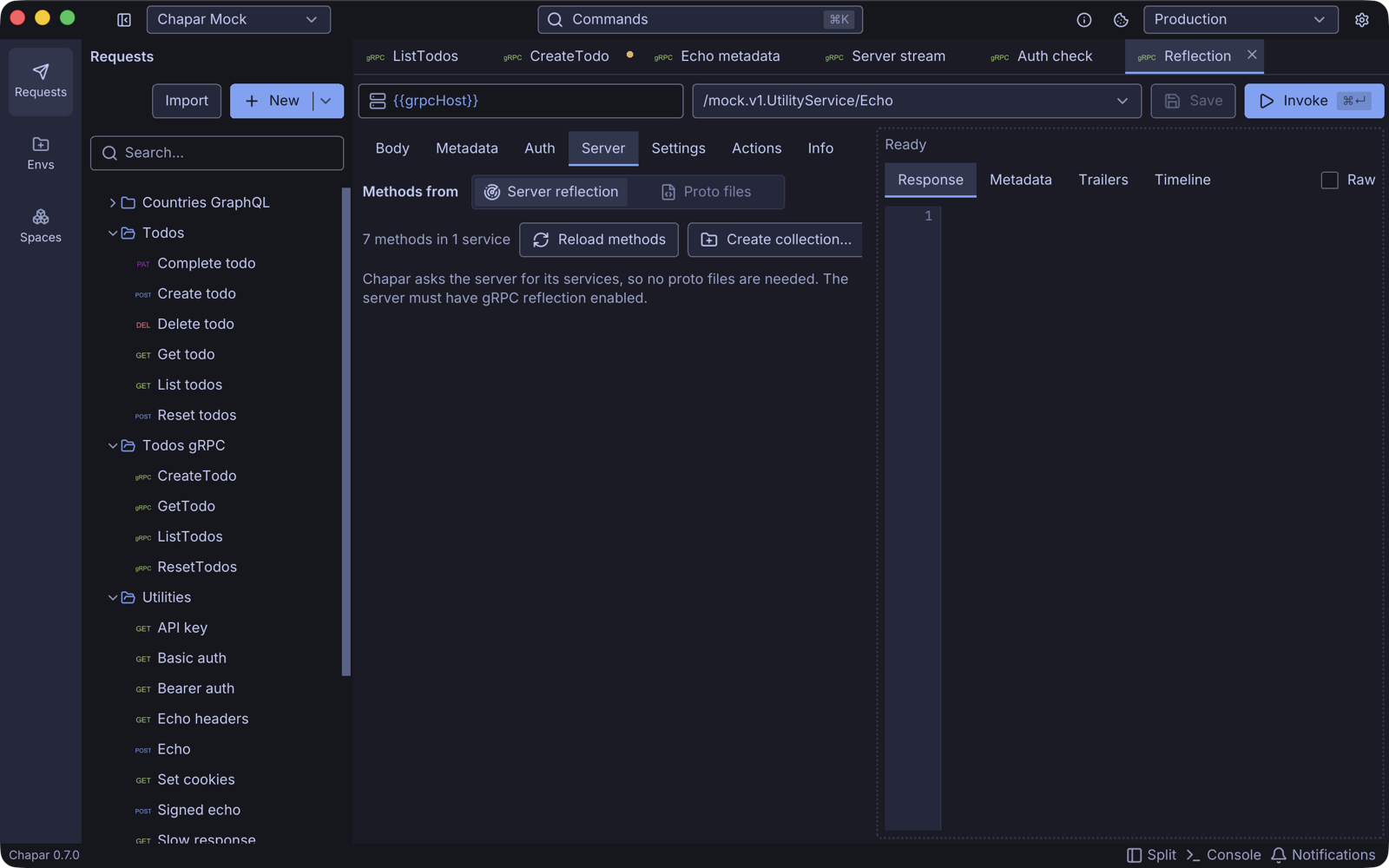
Server: where the methods come from
On the Server tab choose where Chapar reads the service definitions from.
Server reflection
Chapar asks the server for its services, so you need no proto files. The server must have the gRPC reflection service enabled. Click Reload methods to fetch them.
Proto files
Use this when reflection is off, or to work from the same .proto files your code uses.
- Proto files: click Add proto files… and pick the
.protofiles that define the service. Chapar loads the methods right away. - Import paths: only needed when your proto files
importothers that live in another folder. Each proto file’s own folder is always searched. If an import can’t be found, Chapar lists the missing files and lets you Locate… the folder each one lives in.
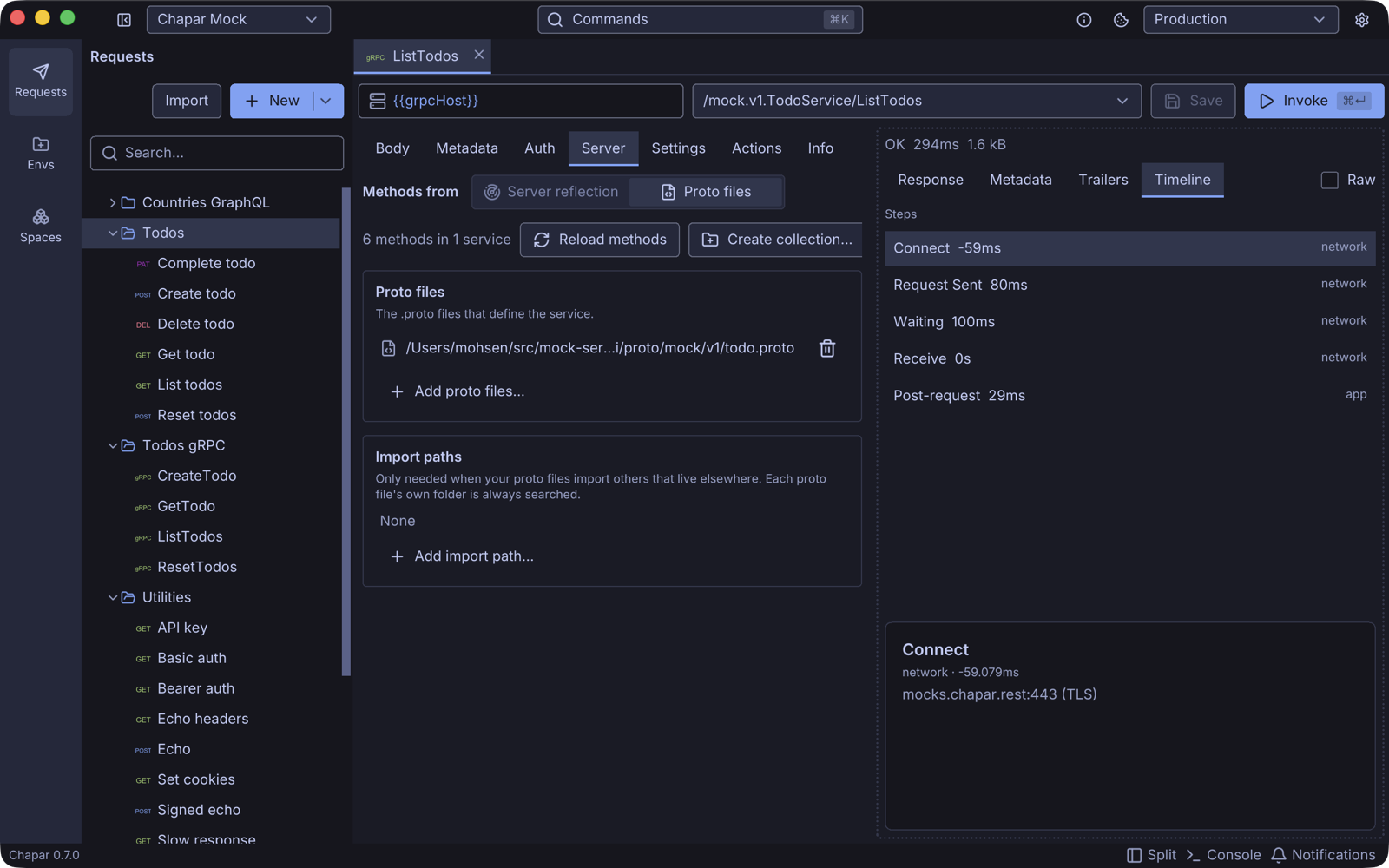
Every request has its own proto files and import paths.
Next to Reload methods, Create collection… asks for a name and makes a collection with one request per method of the loaded services. Each request copies this request’s address, server and TLS settings, metadata, auth and scripts, and gets an example body for its method. It’s the quickest way to get a request for every method. You can also import a .proto file from the request tree, see Import.
Body: the request message
Write the request message as JSON, using the proto3 JSON mapping: field names in lowerCamelCase or as written in the proto file, enums as their names ("TODO_PRIORITY_HIGH"), 64-bit integers as strings, google.protobuf.Timestamp as an RFC 3339 string, and field masks as a comma-separated string.
Click Load example to fill the body with a sample message for the selected method, with every field filled in. Then delete what you don’t need. Format pretty-prints the JSON.
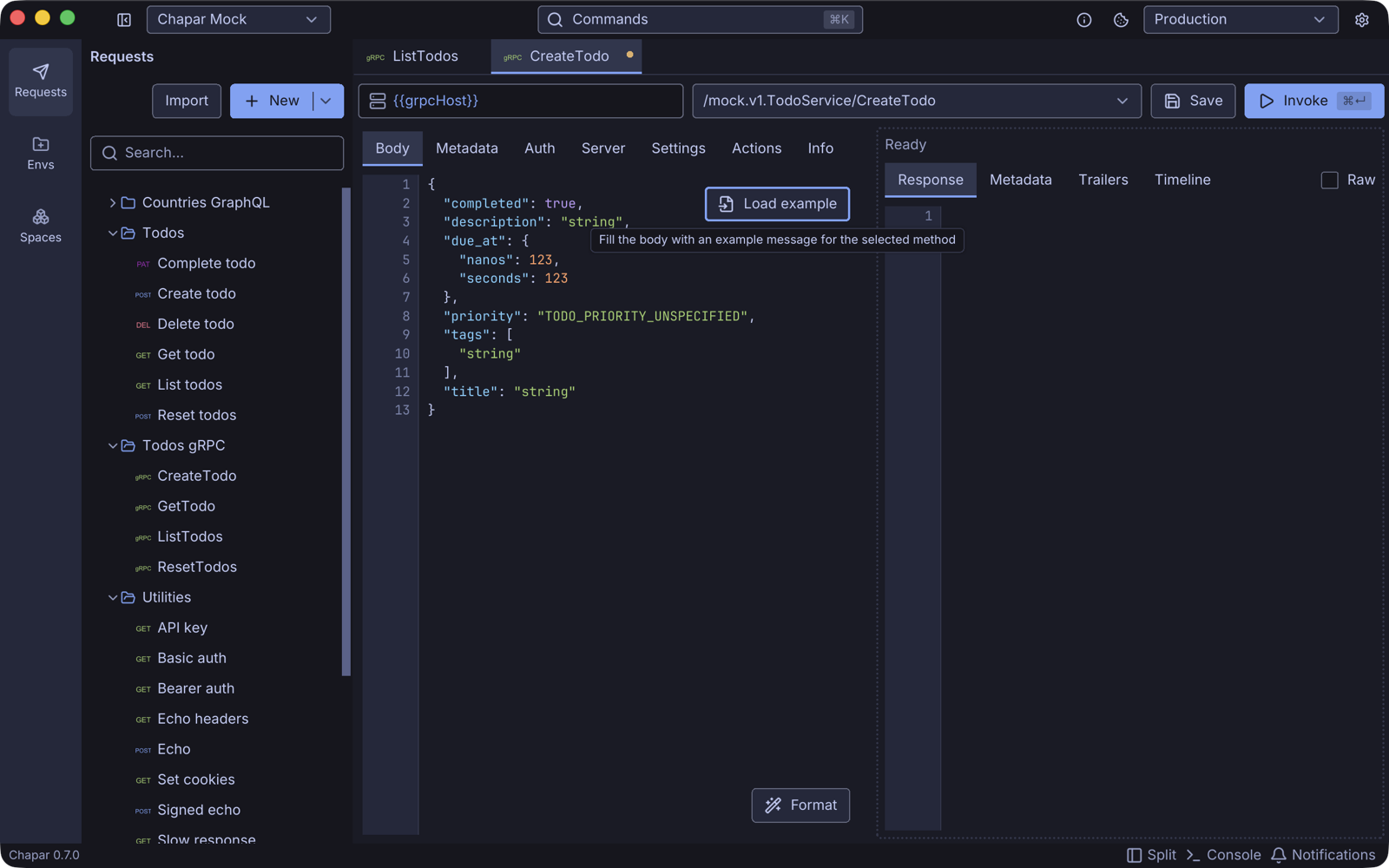
Fields that the message doesn’t have are ignored, and an empty body is sent as {}.
Metadata
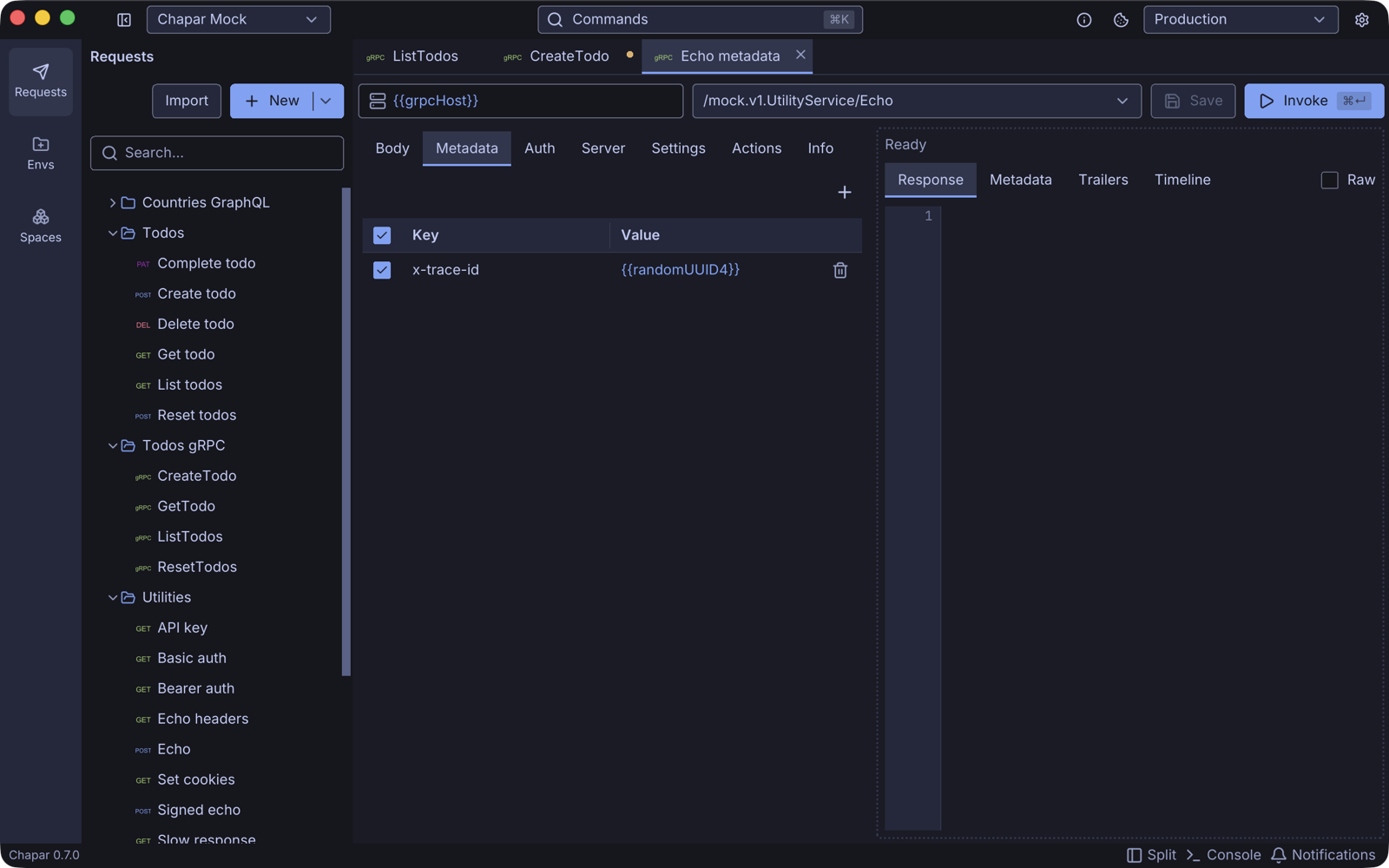
The Metadata tab is a table of metadata keys and values, sent with the call like HTTP headers. Keys are lower-case by gRPC convention. Values can use {{variables}} and functions, for example a fresh x-request-id: {{randomUUID4}} on every call. Headers set on the request’s collection are sent as metadata too.
Auth
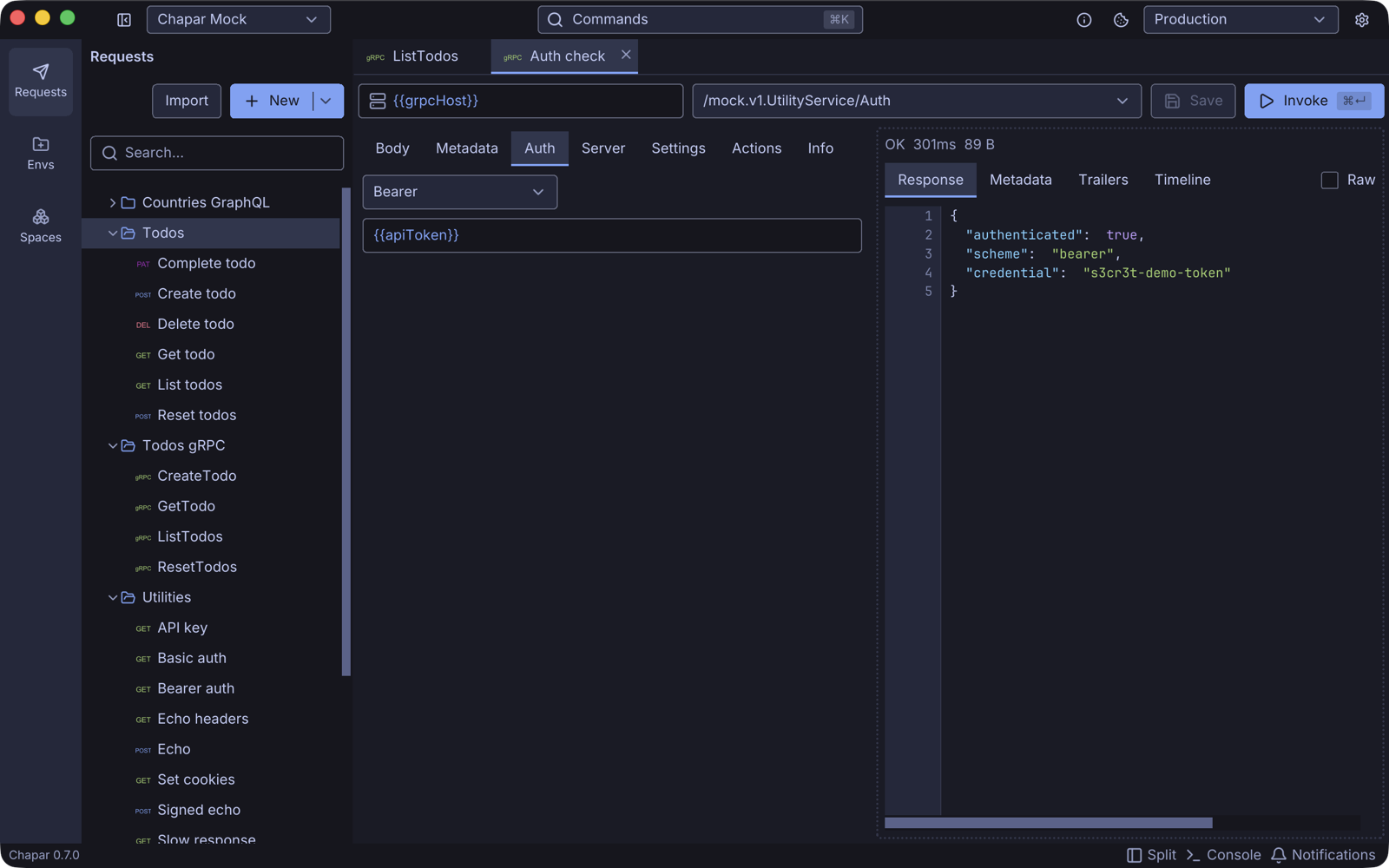
The Auth tab adds credentials as metadata:
| Type | Metadata sent |
|---|---|
| None | Nothing. |
| Bearer | authorization: Bearer <token> |
| Basic | authorization: Basic <username>:<password> (the pair is sent as written, not base64-encoded) |
| API Key | Your key name and value, for example x-api-key: <value> |
Settings and TLS
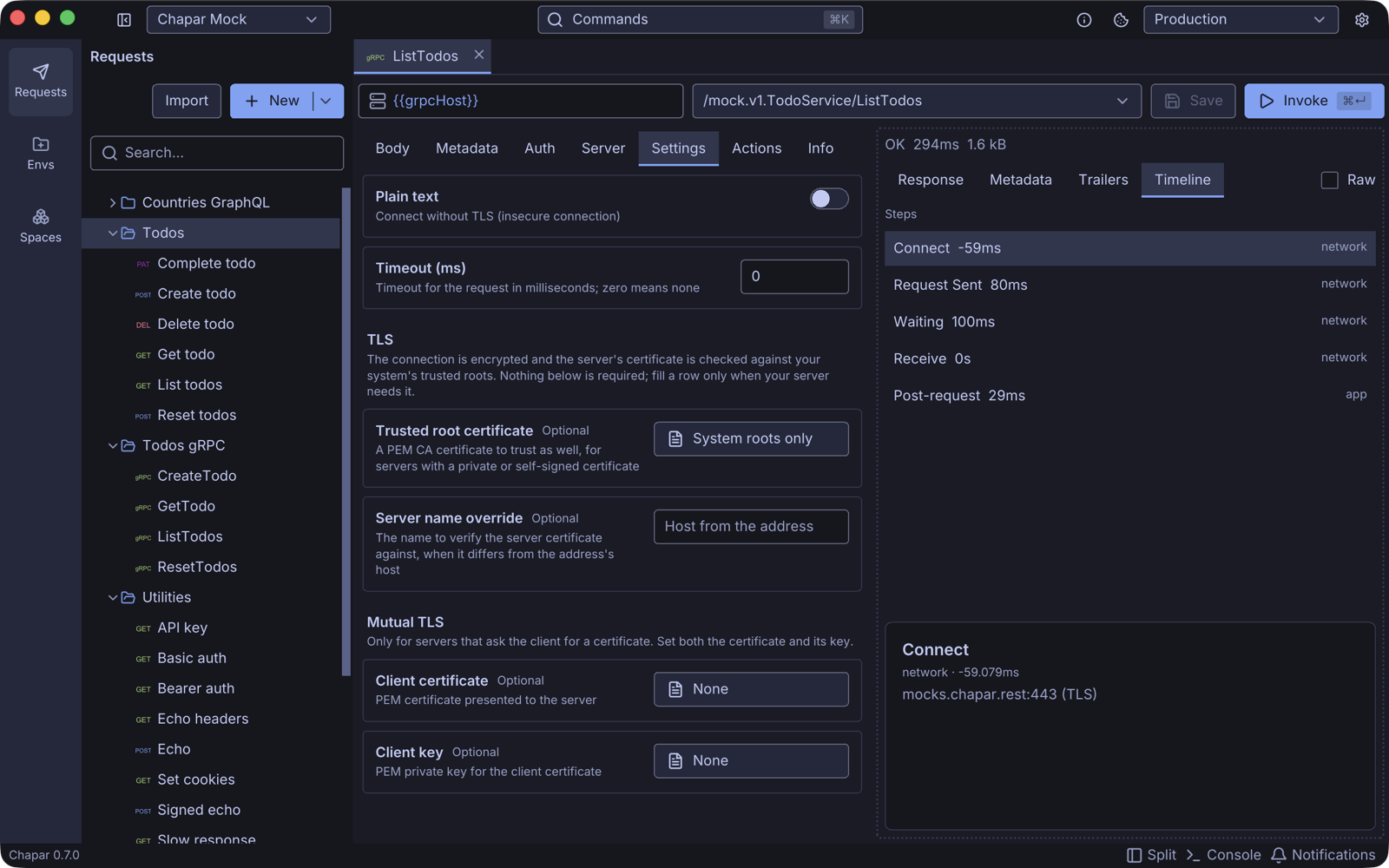
The Settings tab controls the connection:
| Setting | What it does |
|---|---|
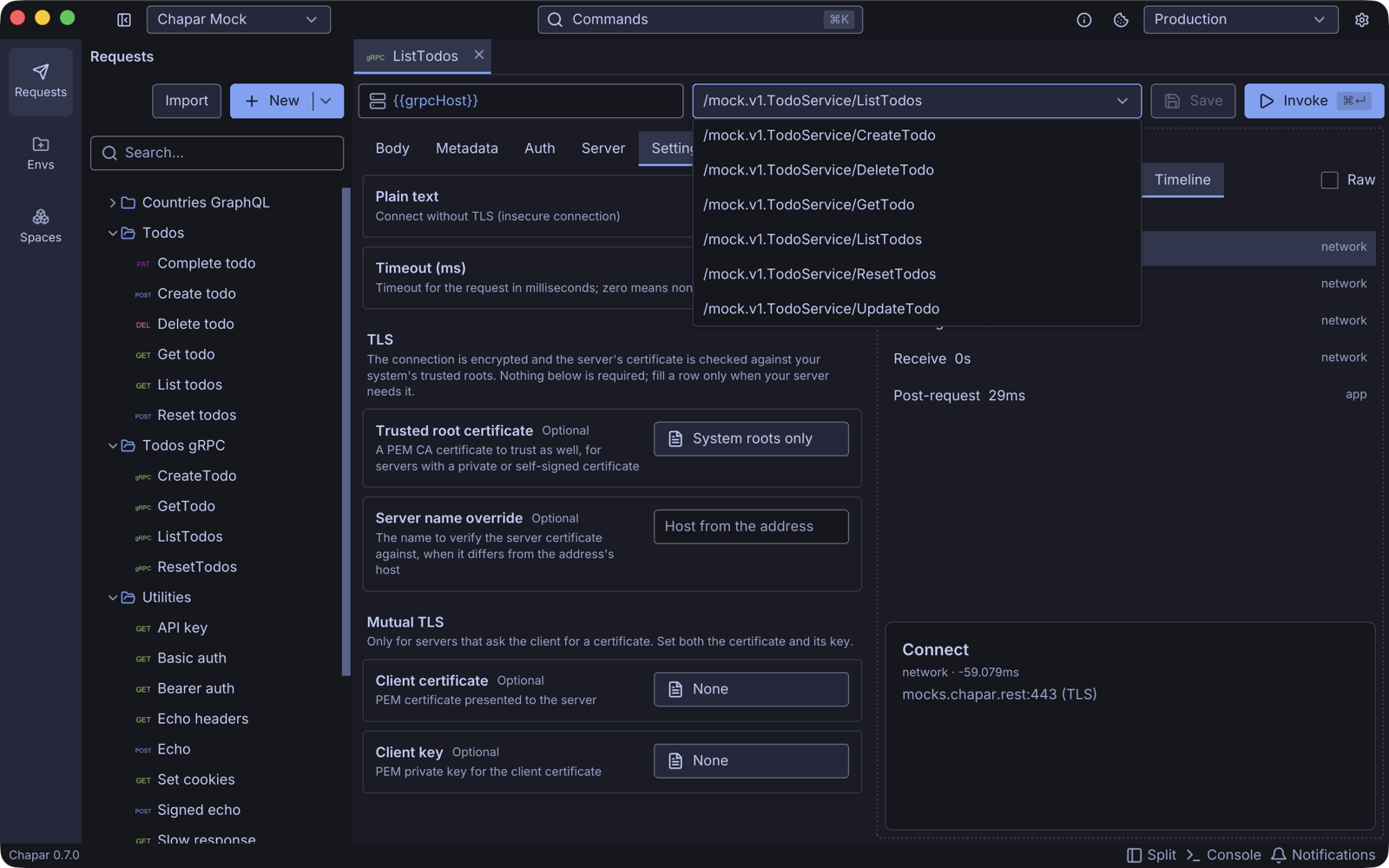
| Plain text | Connect without TLS. Use it for local servers that listen without encryption, such as localhost:50051. |
| Timeout (ms) | The deadline for the call. 0 uses Chapar’s default of two hours. |
| Trusted root certificate | A PEM CA certificate to trust in addition to the system roots, for servers with a private or self-signed certificate. |
| Server name override | The name to check the server certificate against, when it differs from the host in the address (for example when you connect through a tunnel or by IP). |
| Client certificate / Client key | For mutual TLS: the PEM certificate and private key Chapar presents to the server. Set both. |
By default the connection uses TLS and checks the server certificate against your system’s trusted roots, so public servers like mocks.chapar.rest:443 need no settings at all.
Actions and Info
- Actions runs something before or after the call: trigger another request, set an environment variable from the response body, metadata or trailers, extract values, or run a Python script. See Request Actions and Python Scripting.
- Info holds the request’s name and description.
The response
The status line shows the gRPC status (OK, NOT_FOUND, UNAUTHENTICATED, …), the time and the size.
| Tab | Shows |
|---|---|
| Response | The response message as JSON, or the error message and status. Check Raw for the unformatted text. |
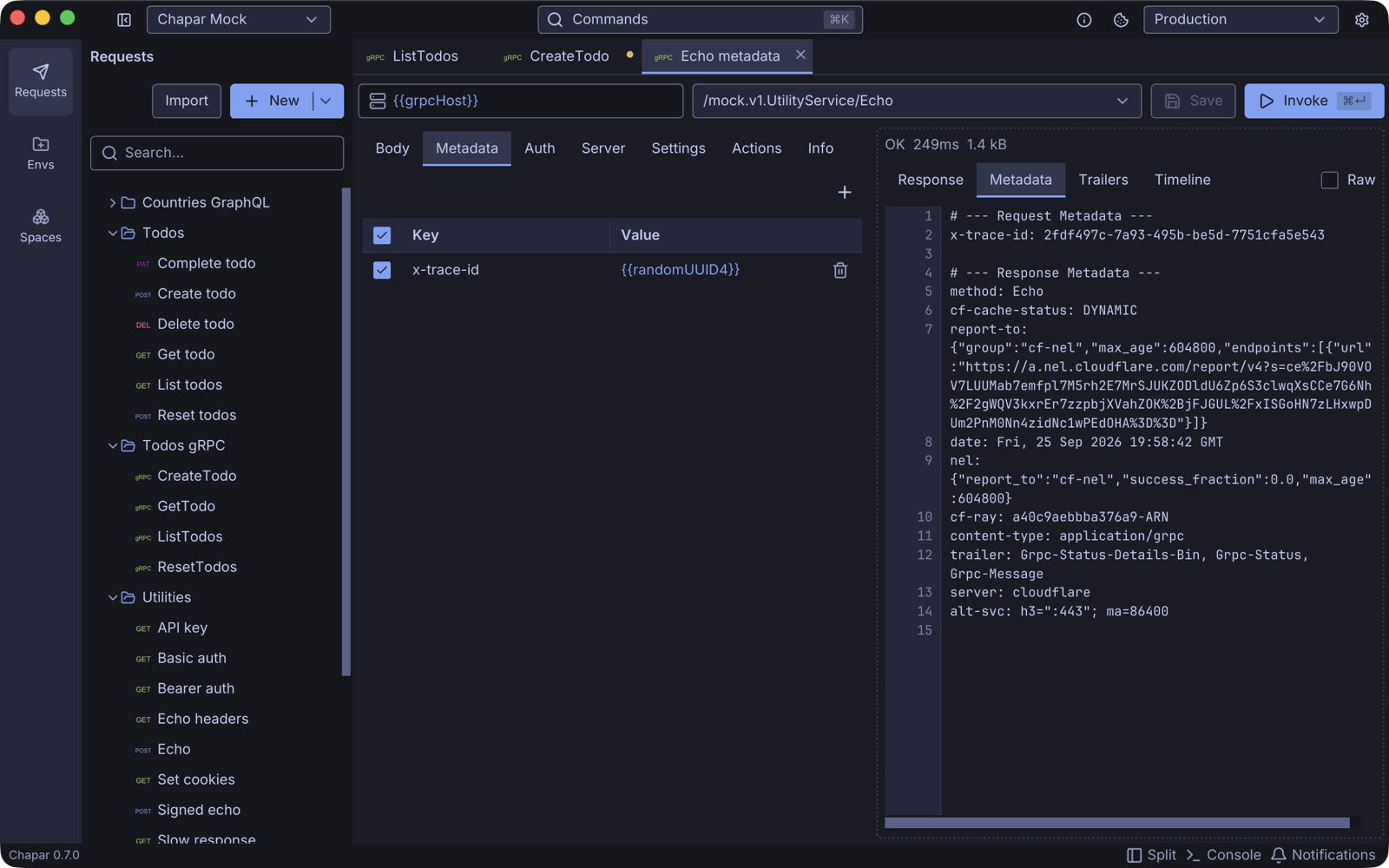
| Metadata | The metadata Chapar sent, and the response headers the server returned. |
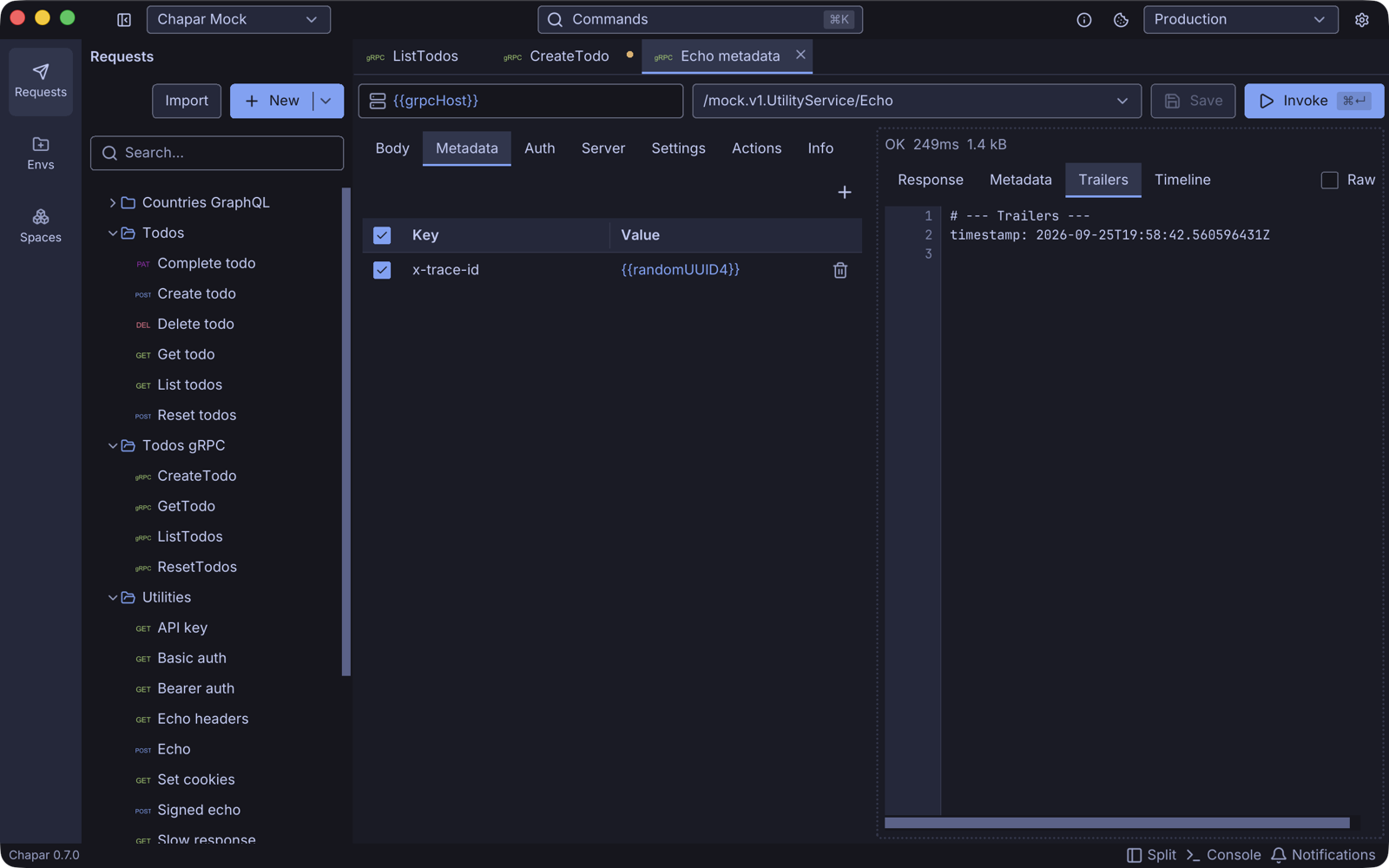
| Trailers | The trailers the server sent after the response. |
| Timeline | Connect, request sent, waiting, receive, and any pre and post-request steps, with their durations. |
Streaming
| Method type | Supported | How it looks |
|---|---|---|
| Unary | Yes | One response message. |
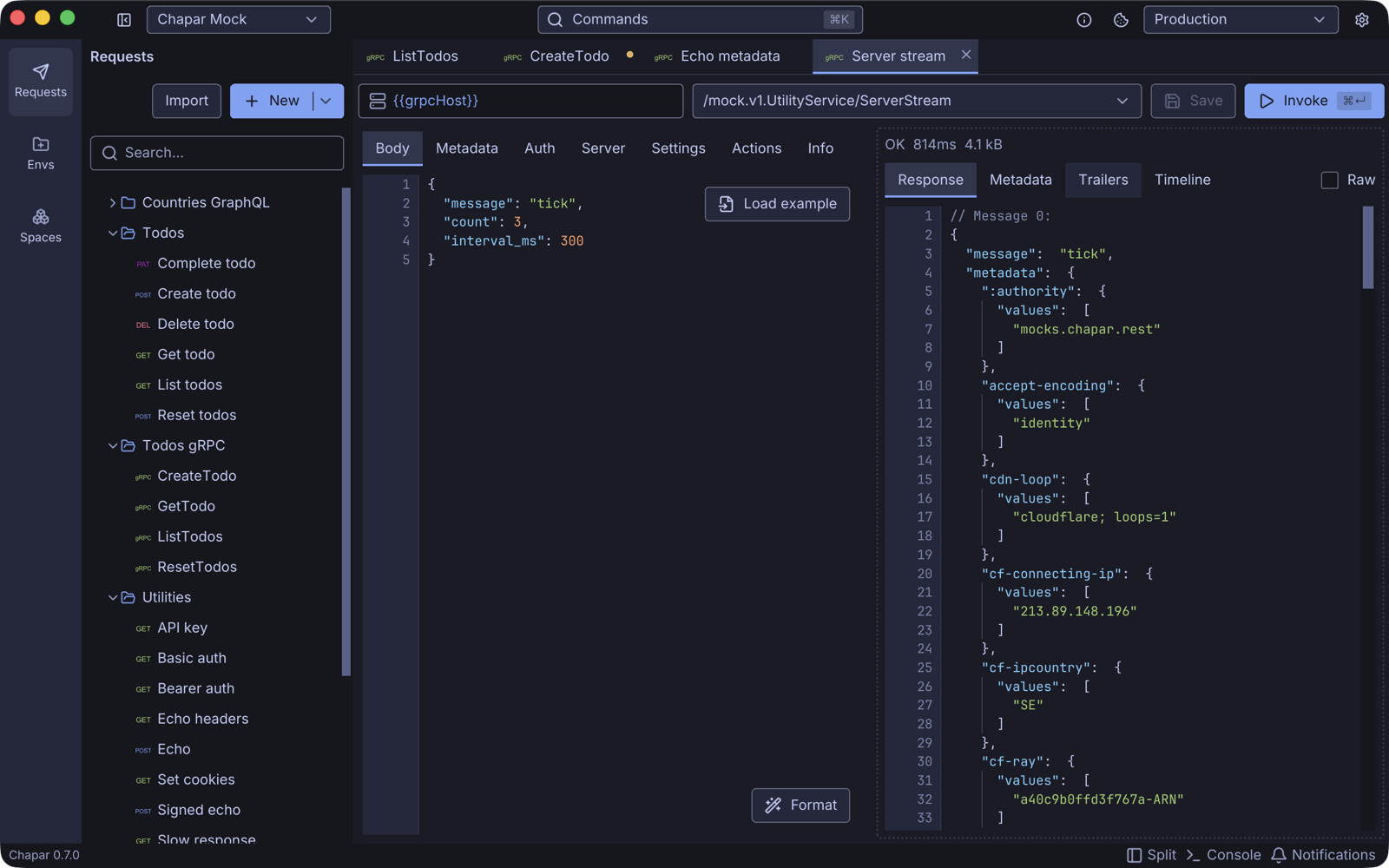
| Server streaming | Yes | Chapar sends your message, reads the stream to the end and shows every message, numbered // Message 0:, // Message 1:, … |
| Client streaming | Not yet | |
| Bidirectional streaming | Not yet |
Troubleshooting
| Problem | What to check |
|---|---|
| The method list says (load methods) | Open Server and click Reload methods. With reflection, check that the server has reflection enabled; with proto files, check that the files are still there. |
| Missing proto dependencies | Your proto files import files Chapar can’t find. Click Locate… for each and choose its folder, or add the folder under Import paths. |
| A TLS handshake error with a local server | The server probably listens without TLS: turn on Plain text. |
| certificate signed by unknown authority | Add the server’s CA as Trusted root certificate. |
| certificate is valid for …, not … | Set Server name override to a name in the certificate. |
UNAUTHENTICATED | Check the Auth tab or the authorization metadata, and that the environment with the token is active. |
Try it on the mock server
The mock server has TodoService for real request flows and UtilityService for checking client behavior: Echo returns your metadata and sends a header and a trailer, Status fails with any status code, Auth checks credentials, and ServerStream streams messages. Use its proto files rather than reflection: reflection through its CDN is unreliable.