Variables and Functions
Syntax
Write {{name}} to insert the value of the variable name. There are no spaces inside the braces: {{baseUrl}}, not {{ baseUrl }}.
Chapar fills variables in when it sends a request, in:
- the URL, query params and path params,
- headers and gRPC metadata,
- the body: JSON, XML, text, form fields and URL-encoded fields,
- auth fields,
- the gRPC server address and message,
- GraphQL queries and variables.
The saved request keeps its placeholders. A variable that doesn’t exist is sent as written, {{name}} included, which makes typos easy to spot in the response of an echo endpoint.
Variables come from two places:
- The active environment.
- The built-in functions below, which produce a new value every time a request is sent.
Completion and hover
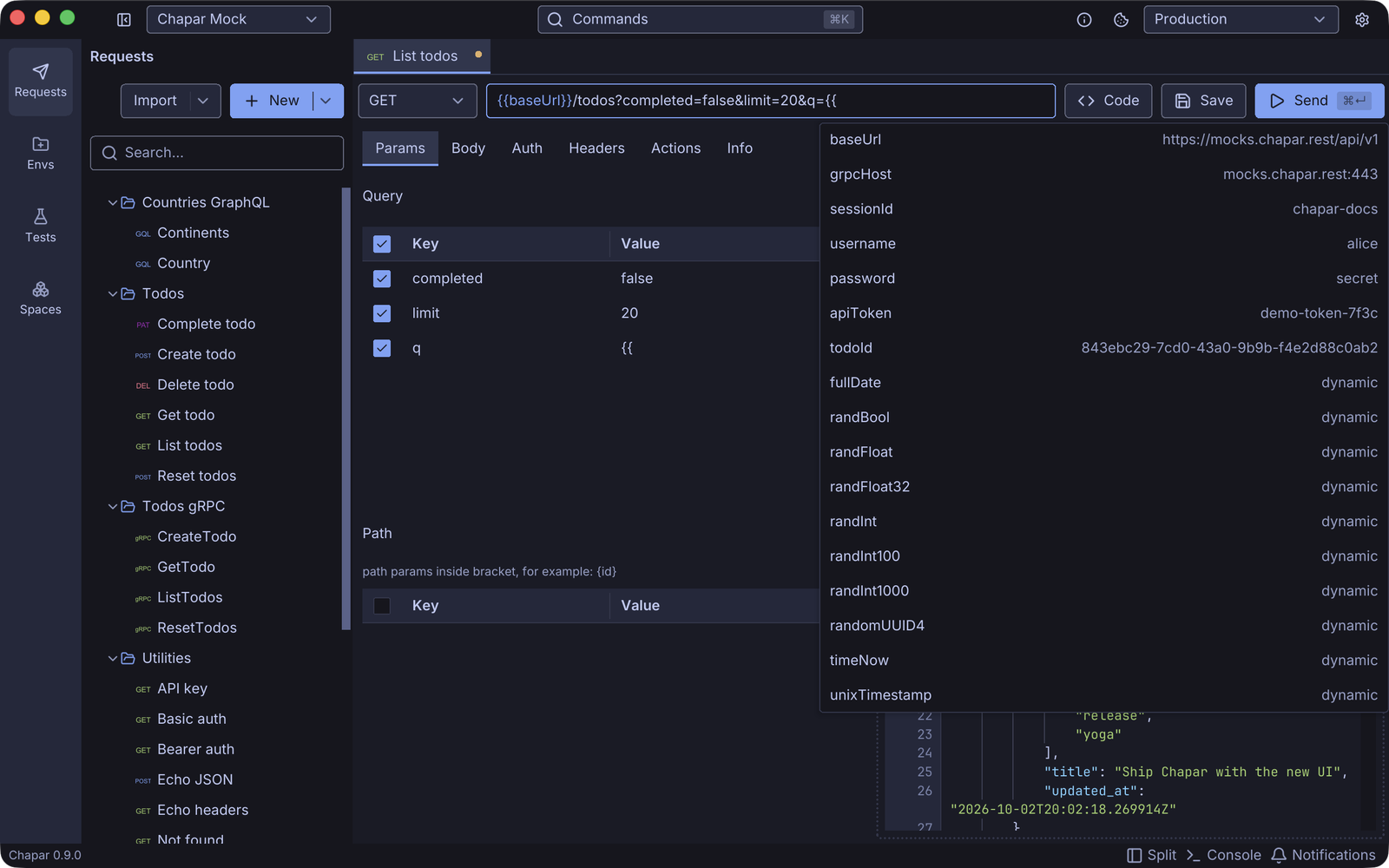
Type {{ in any field or editor and Chapar lists what you can insert: the variables of the active environment with their values, the built-in functions, and the values the request’s Extract rules produce.
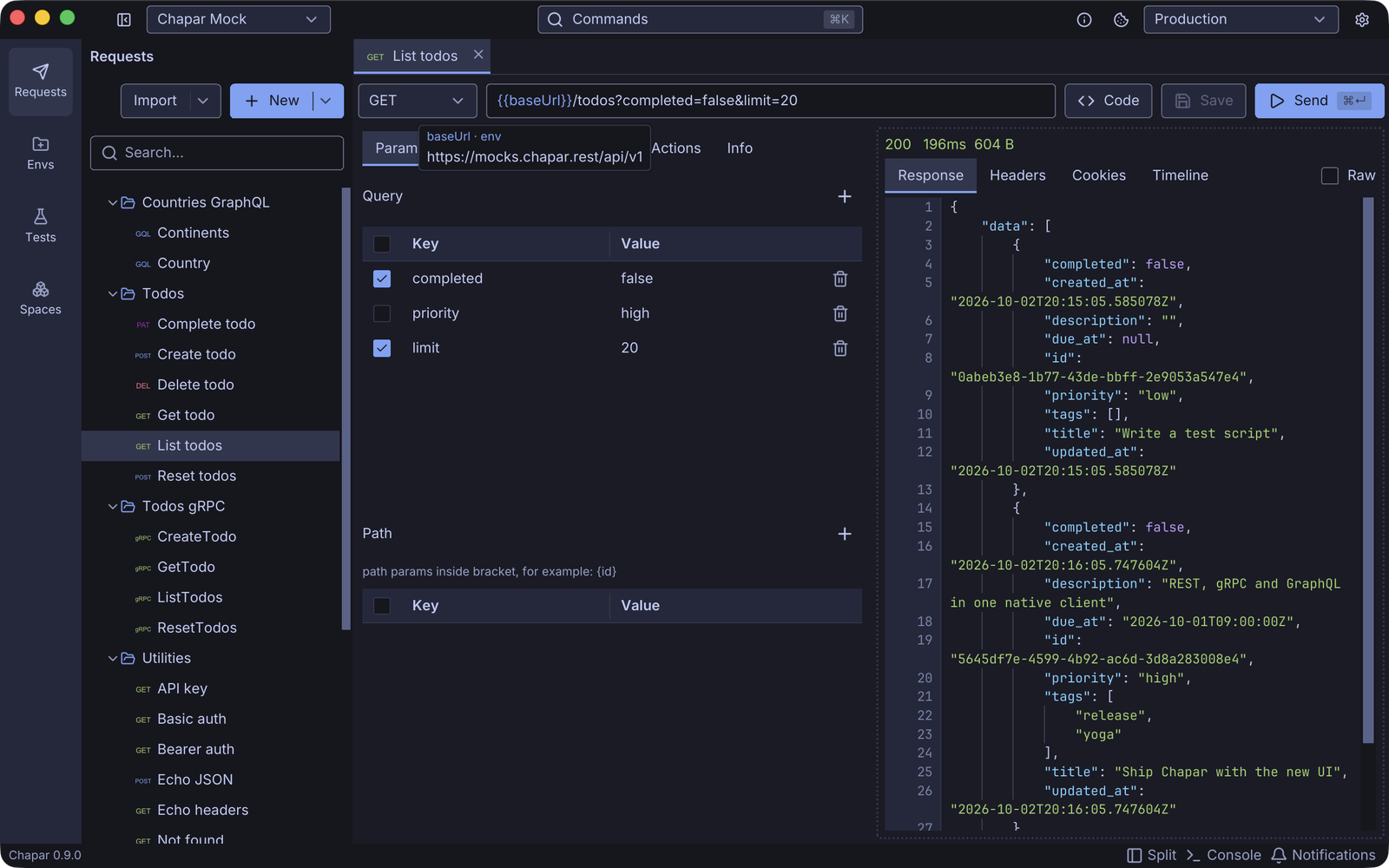
Placeholders are colored: a known variable in the info color, an unknown one in the warning color. Hover one to see where it comes from and its value. Secret values are never shown.
Built-in functions
| Function | Value | Example |
|---|---|---|
{{randomUUID4}} | A random UUID (version 4) | 5f0c7a0e-8f6b-4d5a-9c1e-3a2b1c0d9e8f |
{{timeNow}} | The current time in UTC, RFC 3339 | 2026-09-25T19:55:17Z |
{{unixTimestamp}} | The current Unix time, in seconds | 1790366117 |
{{fullDate}} | The current time in UTC, RFC 1123 with a numeric zone | Fri, 25 Sep 2026 19:55:17 +0000 |
{{randInt100}} | A random integer from 0 to 99 | 42 |
{{randInt1000}} | A random integer from 0 to 999 | 718 |
{{randInt}} | A random non-negative integer | 5577006791947779410 |
{{randFloat}} | A random number from 0 to 1, six decimals | 0.604660 |
{{randFloat32}} | A random number from 0 to 1, six decimals | 0.940509 |
{{randBool}} | true or false | true |
For example, a JSON body that creates a unique record on every send:
{
  "requestId": "{{randomUUID4}}",
  "title": "Load test item {{randInt1000}}",
  "createdAt": "{{timeNow}}"
}
Don’t give your own variables the name of a function: the function wins.
Values from responses and scripts
Variables don’t have to be typed in by hand:
- Request actions copy values from a response into the active environment.
- Python scripts can read and write any variable with
chapar.env.