Cookies
Chapar keeps cookies like a browser does. When a response sets a cookie, Chapar stores it, and sends it back with later requests to the same site, so a login session lasts across requests and restarts.
One jar per environment
Every environment has its own cookie jar, and requests use the jar of the active environment. Your staging session never leaks into production, and switching environments switches sessions. With No Environment selected, requests share a separate jar of their own.
HTTP and GraphQL requests use the jar. gRPC requests don’t.
Cookies set while following redirects are stored too, and Chapar applies the usual rules: domain and path matching, expiry, Secure cookies only over HTTPS, and HttpOnly and SameSite attributes.
Cookies of a response
The Cookies tab of an HTTP response shows what happened to the jar:
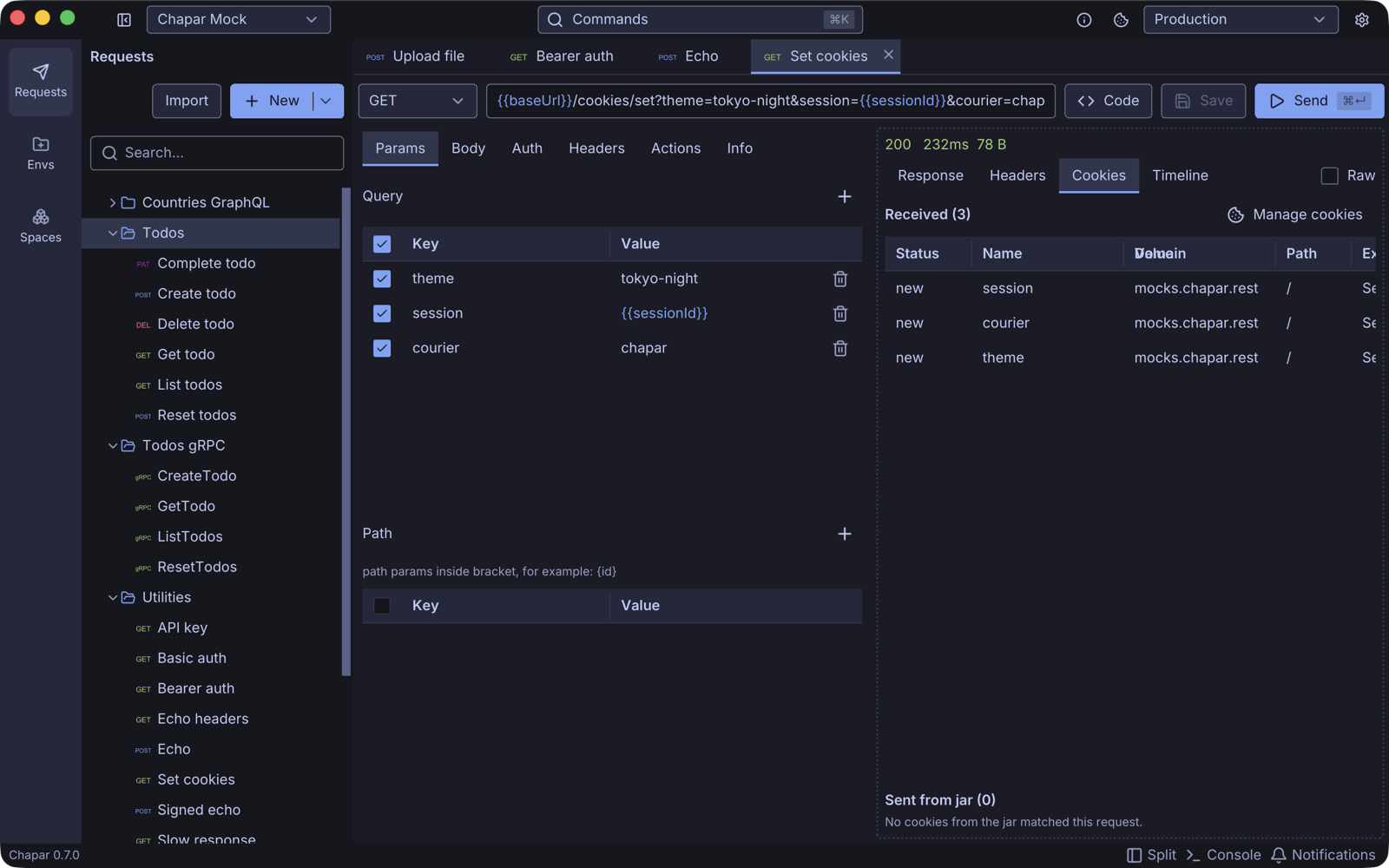
- Received: every cookie the response set, marked new, updated, deleted or rejected. A rejected cookie shows the reason, for example a domain that doesn’t match the request.
- Sent from jar: the cookies Chapar added to this request.
Click Manage cookies to open the jar.
Manage the jar
Click the cookie button in the title bar, or Manage cookies on a response, to open the Cookies dialog.
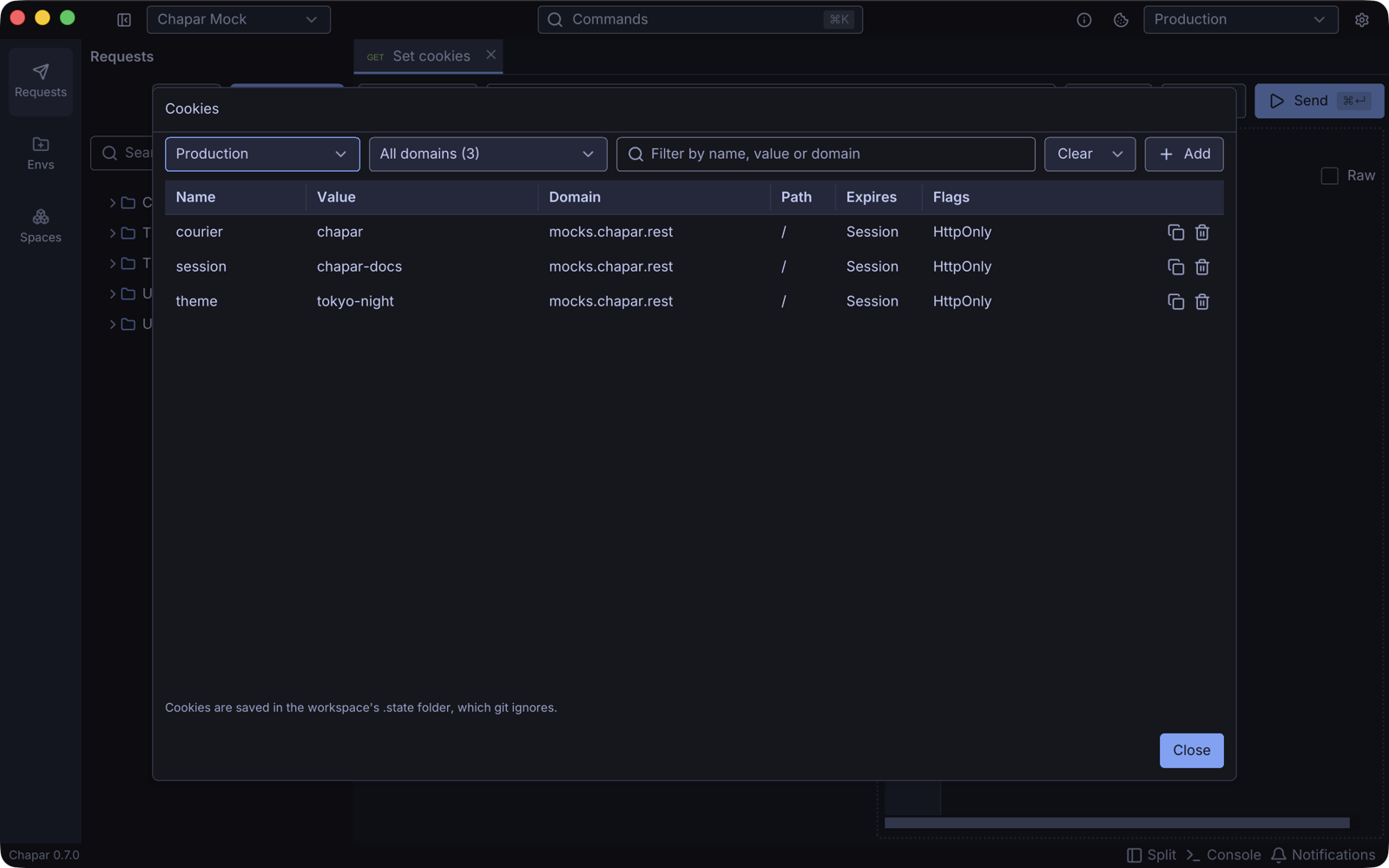
| Control | What it does |
|---|---|
| Environment selector | Which environment’s jar to show. |
| Domain selector | Show all domains, or one. |
| Filter | Filter by name, value or domain. |
| Clear | Clear Expired cookies, Session cookies, all cookies of the selected domain, or All cookies. Clearing a domain or everything asks first. |
| Add | Add a cookie by hand. |
| Copy / trash buttons | Copy a cookie’s value, or delete the cookie. |
Click a cookie to edit it. You can change the name, value, domain, path, expiry (empty for a session cookie) and SameSite, and the Enabled, Host only, Secure and HttpOnly flags. The editor also shows where the cookie came from and when.
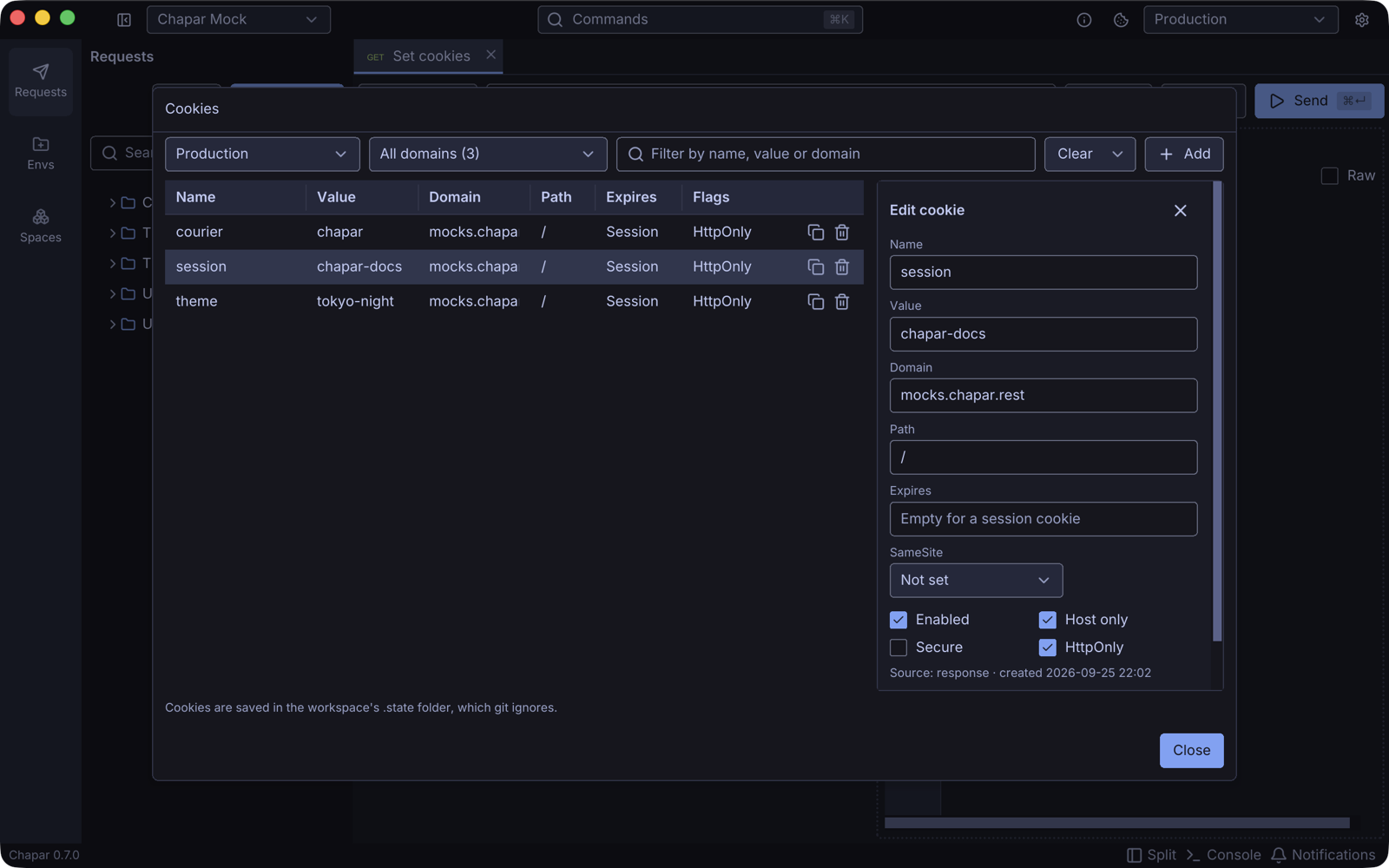
Disable a cookie to stop sending it without deleting it.
Cookies in scripts
Post-request scripts can read the cookies a response set:
session = response.cookie("session")          # value, or None
for c in response.cookies:
    print(c.name, c.value, c.domain, c.expires)
See the scripting API.
Where cookies are stored
Jars are files in the .state/cookies folder of the space, one per environment. The .state folder has its own .gitignore, so session cookies stay out of git even when you keep the space in a repository.
Try it
The mock server has /cookies/set?name=value to set cookies and /cookies to return the cookies you sent:
- Send
GET https://mocks.chapar.rest/api/v1/cookies/set?theme=dark&session=abc. - Send
GET https://mocks.chapar.rest/api/v1/cookies. The response liststhemeandsession, sent from the jar.