Proxy
Proxy
Chapar has a built-in HTTP(S) proxy for looking at the traffic of other apps: a browser, a command-line tool, a mobile app on your phone. Send their traffic through Chapar and every request and response shows up on the Proxy page, where you can filter it, read it, and turn any request into a Chapar request.
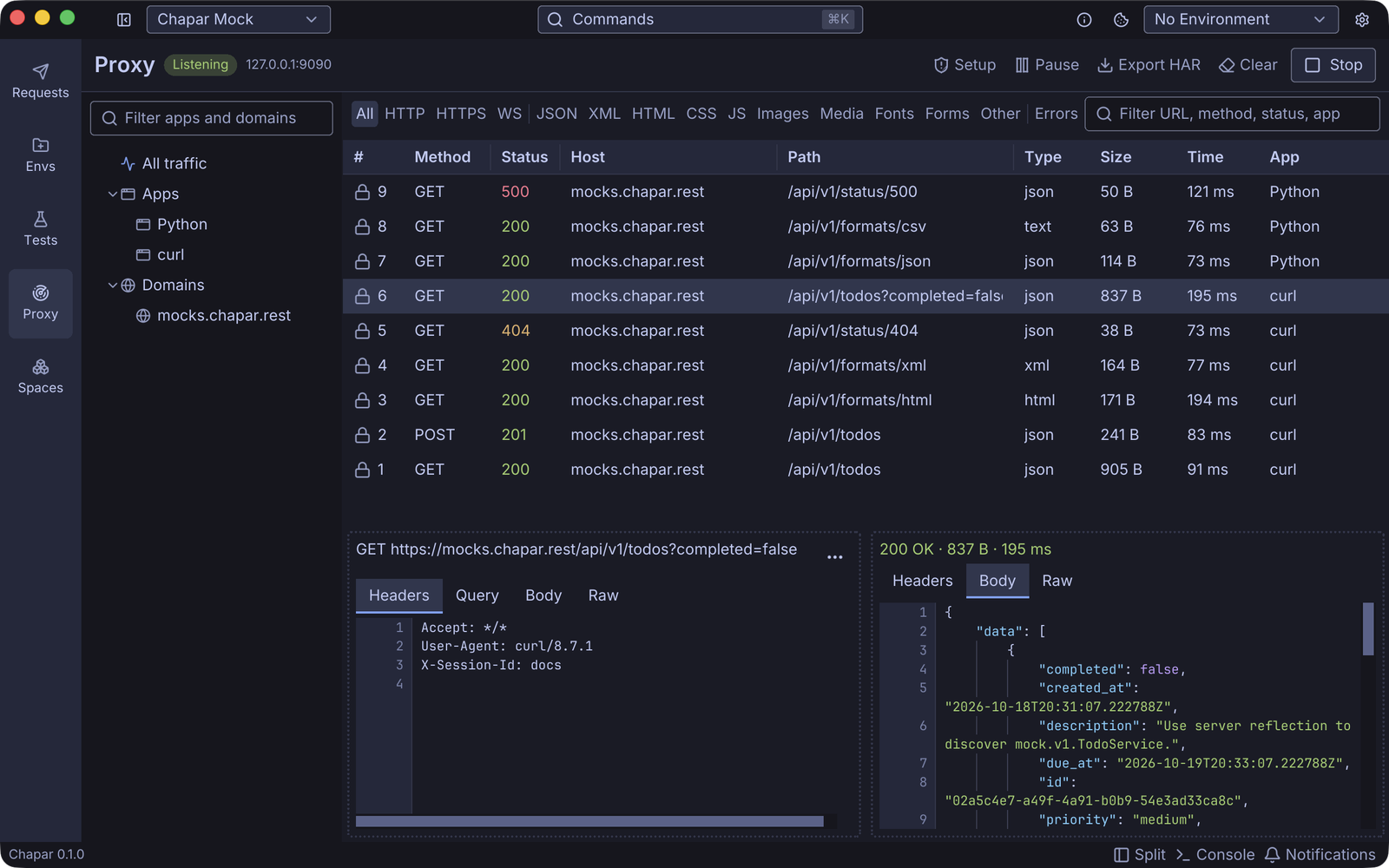
Start the proxy, point apps at it, and read and filter what they send
Trust Chapar’s certificate on this computer and on phones, step by step
How it works
- Click Start on the Proxy page. Chapar listens on
127.0.0.1:9090. - Point the app you want to inspect at that address, as its HTTP and HTTPS proxy.
- For HTTPS, the app has to trust Chapar’s certificate: Chapar decrypts the traffic with a certificate it signs for each site. The Setup guide walks you through it.
Chapar never changes your system’s proxy settings, and the proxy only runs while you have it started. It stops when you click Stop or quit Chapar.
Captured requests are kept in memory only, up to 5000 requests and 256 MB of bodies by default. They are gone when you quit Chapar unless you export them as HAR.